

Notch Windows
NewNotchWindow creates a shaped, non-activating macOS panel attached to the
camera housing. Wails owns the native placement, black attachment wings,
transparent outer canvas, window level, Spaces behaviour, and optional show and
hide animations. Your web content occupies only the requested inner rectangle.
Moving the pointer into the window makes its webview key immediately without
activating the application.
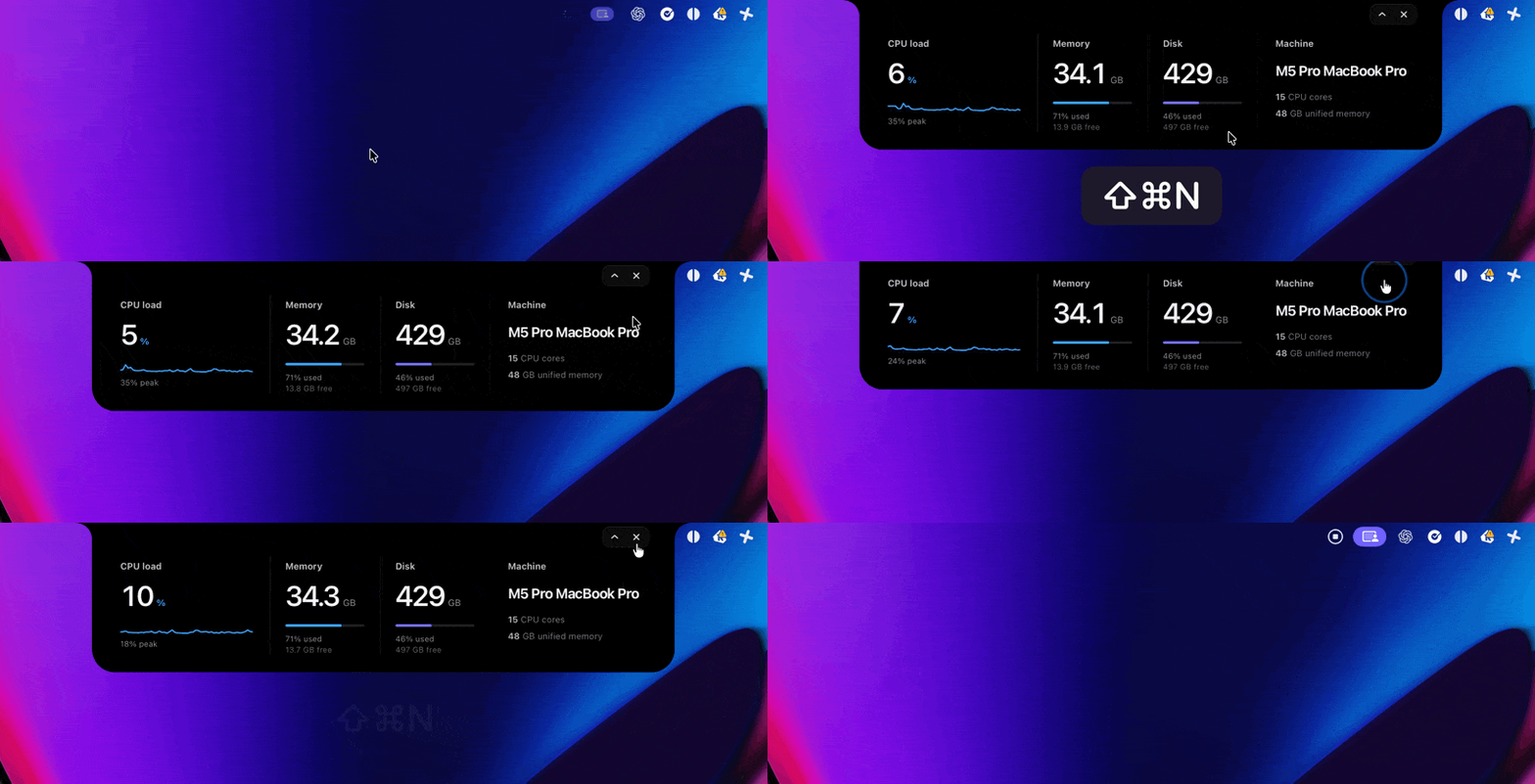
An animated notch notification using a persistent webview with native show and hide transitions.
alert := app.Window.NewNotchWindow(application.NotchWindowOptions{    Width:    660,    Height:   92,    Animated: true,    WindowOptions: application.WebviewWindowOptions{        Name: "alert",        URL:  "/alert",    },})
alert.Show()alert.Hide()visible := alert.Visibility()alert.Close()
Options
Section titled “Options”| Field | Type | Default | Description |
|---|---|---|---|
Width |
int |
660 |
Usable webview width inside the native shaped edges. |
Height |
int |
92 |
Usable webview height inside the native shaped edges. |
Animated |
bool |
false |
Slides the window down on Show and up on Hide. |
AnimationSpeed |
time.Duration |
420ms |
Show duration. Hide uses two thirds of this value, 280ms by default. |
Screen |
*Screen |
primary display | Targets a specific display. Wails otherwise uses the primary display. |
WindowOptions |
WebviewWindowOptions |
defaults | Supplies the name, URL or HTML, CSS, JavaScript, key bindings, and other webview behaviour. |
NewNotchWindow owns the outer size, position, frame, transparency, resize
policy, native panel class, window level, and collection behaviour. Values for
those fields in WindowOptions are intentionally replaced. Other fields are
preserved. Native background dragging and CSS drag regions are disabled so the
window remains attached to the camera housing.
The returned NotchWindow intentionally exposes only Show, Hide,
Visibility, and Close; native geometry cannot be changed through the
high-level handle.
Lifecycle
Section titled “Lifecycle”Showreveals the existing native window. With animation enabled, it slides down from above the display.Hidekeeps the window alive for reuse. With animation enabled, it slides back above the display before being ordered out. The webview, JavaScript state, bindings, and event listeners remain loaded, but the hidden window has no hover target; the application must callShowto reveal it again.Visibilityreports the current native visibility.Closepermanently destroys the native window. Create a new one before showing that notification again.- Pointer entry brings that notch window to the front and focuses its webview for immediate keyboard interaction while preserving the non-activating panel behaviour.
Each NewNotchWindow call creates an independent window with its own content,
visibility, and animation state. Windows use the same native level, so the most
recently shown or entered instance appears in front and may overlay earlier
instances. When windows target different screens, each is centred on that
screen’s camera housing. macOS does not coordinate notch windows belonging to
different applications; if separate apps show windows at the same location and
level, the most recently ordered window appears in front.
For notification workloads, applications commonly reuse a hidden window or maintain their own queue in one webview. Wails does not impose queuing, replacement, automatic dismissal, or a single-window policy.
See the notch-notification example for a compact system monitor whose live JavaScript state survives repeated notification show and hide cycles.