

파일 대화상자
파일 열기, 저장 및 폴더 선택 대화상자
파일 대화상자
Wails는 파일 열기, 파일 저장 및 폴더 선택을 위해 각 플랫폼에 적합한 모양의 네이티브 파일 대화상자를 제공합니다. 파일 형식 필터링, 다중 선택 및 기본 위치를 지원하는 간단한 API입니다.
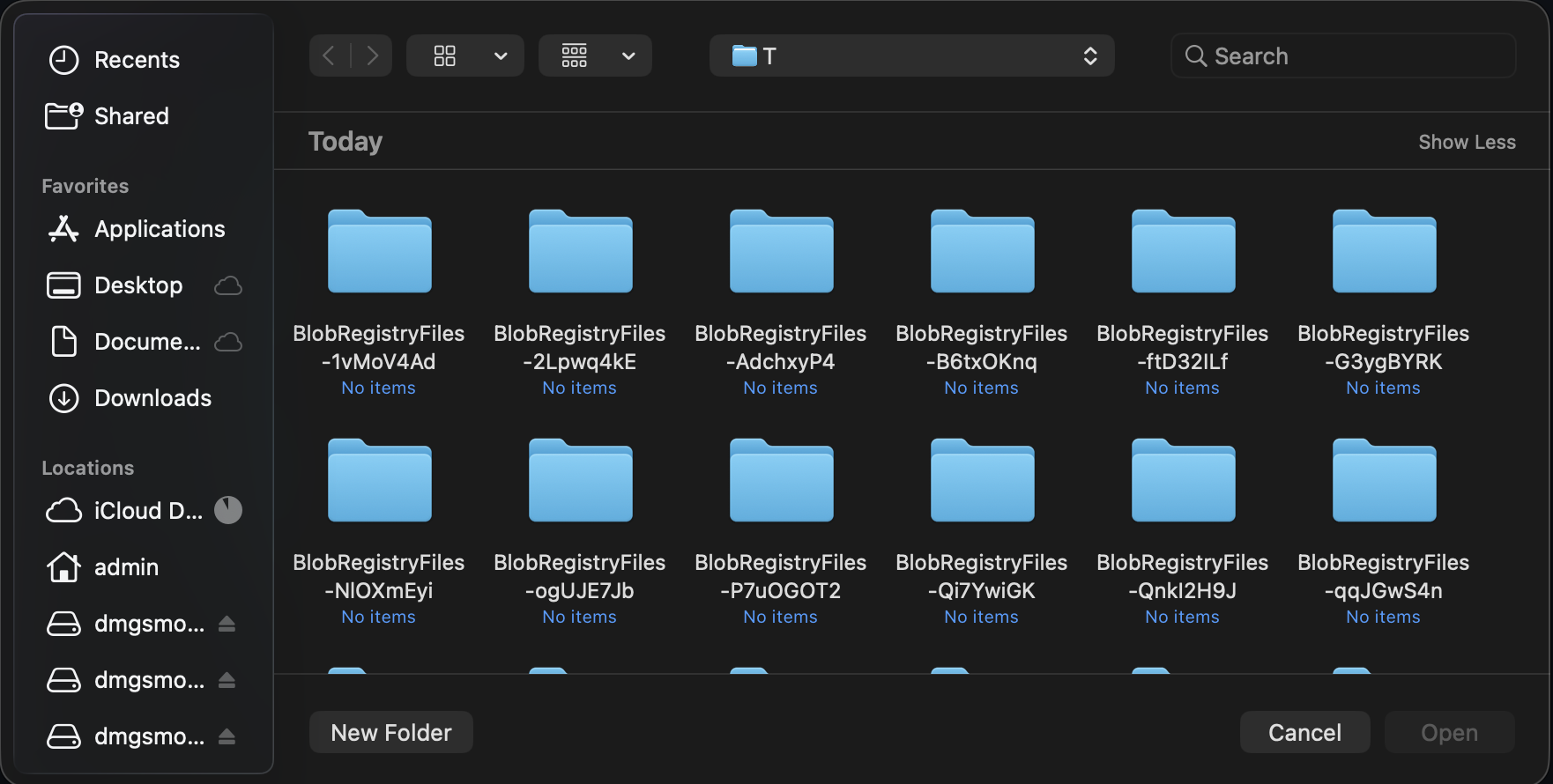
Wails API는 운영 체제의 파일 선택기에 처리를 위임하므로 익숙한 탐색, 필터링 및 선택 동작이 그대로 유지됩니다.
파일 대화상자 만들기
app.Dialog 관리자를 통해 파일 대화상자에 접근합니다.
go
app.Dialog.OpenFile()
app.Dialog.SaveFile()
파일 열기 대화상자
열 파일을 선택합니다.
go
path, err := app.Dialog.OpenFile().
    SetTitle("Select Image").
    AddFilter("Images", "*.png;*.jpg;*.gif").
    AddFilter("All Files", "*.*").
    PromptForSingleSelection()

if err != nil || path == "" {
    return
}

openFile(path)
사용 사례:
- 문서 열기
- 파일 가져오기
- 이미지 불러오기
- 구성 파일 선택
단일 파일 선택
go
path, err := app.Dialog.OpenFile().
    SetTitle("Open Document").
    AddFilter("Text Files", "*.txt").
    AddFilter("All Files", "*.*").
    PromptForSingleSelection()

if err != nil || path == "" {
    // User cancelled or error occurred
    return
}

// Use selected file
data, _ := os.ReadFile(path)
여러 파일 선택
go
paths, err := app.Dialog.OpenFile().
    SetTitle("Select Images").
    AddFilter("Images", "*.png;*.jpg;*.jpeg;*.gif").
    PromptForMultipleSelection()

if err != nil {
    return
}

// Process all selected files
for _, path := range paths {
    processFile(path)
}
기본 디렉터리 지정
go
path, err := app.Dialog.OpenFile().
    SetTitle("Open File").
    SetDirectory("/Users/me/Documents").
    PromptForSingleSelection()
파일 저장 대화상자
저장할 위치를 선택합니다.
go
path, err := app.Dialog.SaveFile().
    SetFilename("document.txt").
    AddFilter("Text Files", "*.txt").
    AddFilter("All Files", "*.*").
    PromptForSingleSelection()

if err != nil || path == "" {
    return
}

saveFile(path, data)
사용 사례:
- 문서 저장
- 데이터 내보내기
- 새 파일 만들기
- 다른 이름으로 저장…
기본 파일 이름 지정
go
path, err := app.Dialog.SaveFile().
    SetFilename("export.csv").
    AddFilter("CSV Files", "*.csv").
    PromptForSingleSelection()
기본 디렉터리 지정
go
path, err := app.Dialog.SaveFile().
    SetDirectory("/Users/me/Documents").
    SetFilename("untitled.txt").
    PromptForSingleSelection()
덮어쓰기 확인
go
path, err := app.Dialog.SaveFile().
    SetFilename("document.txt").
    PromptForSingleSelection()

if err != nil || path == "" {
    return
}

// Check if file exists
if _, err := os.Stat(path); err == nil {
    dialog := app.Dialog.Question().
        SetTitle("Confirm Overwrite").
        SetMessage("File already exists. Overwrite?")

    overwriteBtn := dialog.AddButton("Overwrite")
    overwriteBtn.OnClick(func() {
        saveFile(path, data)
    })

    cancelBtn := dialog.AddButton("Cancel")
    dialog.SetDefaultButton(cancelBtn)
    dialog.SetCancelButton(cancelBtn)
    dialog.Show()
    return
}

saveFile(path, data)
폴더 선택 대화상자
디렉터리 선택을 활성화한 파일 열기 대화상자를 사용하여 디렉터리를 선택합니다.
go
path, err := app.Dialog.OpenFile().
    SetTitle("Select Output Folder").
    CanChooseDirectories(true).
    CanChooseFiles(false).
    PromptForSingleSelection()

if err != nil || path == "" {
    return
}

exportToFolder(path)
사용 사례:
- 출력 디렉터리 선택
- 작업 공간 선택
- 백업 위치 선택
- 설치 디렉터리 선택
기본 디렉터리 지정
go
path, err := app.Dialog.OpenFile().
    SetTitle("Select Folder").
    SetDirectory("/Users/me/Documents").
    CanChooseDirectories(true).
    CanChooseFiles(false).
    PromptForSingleSelection()
파일 필터
AddFilter() 메서드를 사용하여 대화상자에 파일 형식 필터를 추가합니다. 호출할 때마다 새 필터 옵션이 추가됩니다.
기본 필터
go
path, _ := app.Dialog.OpenFile().
    AddFilter("Text Files", "*.txt").
    AddFilter("All Files", "*.*").
    PromptForSingleSelection()
여러 확장자
하나의 필터에 여러 확장자를 지정하려면 세미콜론을 사용합니다.
go
dialog := app.Dialog.OpenFile().
    AddFilter("Images", "*.png;*.jpg;*.jpeg;*.gif;*.bmp").
    AddFilter("Documents", "*.txt;*.doc;*.docx;*.pdf").
    AddFilter("All Files", "*.*")
패턴 형식
하나의 필터에서 여러 확장자를 구분하려면 세미콜론을 사용합니다.
go
// Multiple extensions separated by semicolons
AddFilter("Images", "*.png;*.jpg;*.gif")
전체 예제
이미지 파일 열기
go
func openImage(app *application.App) (image.Image, error) {
    path, err := app.Dialog.OpenFile().
        SetTitle("Select Image").
        AddFilter("Images", "*.png;*.jpg;*.jpeg;*.gif;*.bmp").
        PromptForSingleSelection()

    if err != nil {
        return nil, err
    }

    if path == "" {
        return nil, errors.New("no file selected")
    }

    // Open and decode image
    file, err := os.Open(path)
    if err != nil {
        app.Dialog.Error().
            SetTitle("Open Failed").
            SetMessage(err.Error()).
            Show()
        return nil, err
    }
    defer file.Close()

    img, _, err := image.Decode(file)
    if err != nil {
        app.Dialog.Error().
            SetTitle("Invalid Image").
            SetMessage("Could not decode image file.").
            Show()
        return nil, err
    }

    return img, nil
}
유효성 검사를 거쳐 문서 저장하기
go
func saveDocument(app *application.App, content string) {
    path, err := app.Dialog.SaveFile().
        SetFilename("document.txt").
        AddFilter("Text Files", "*.txt").
        AddFilter("Markdown Files", "*.md").
        AddFilter("All Files", "*.*").
        PromptForSingleSelection()

    if err != nil || path == "" {
        return
    }

    // Validate extension
    ext := filepath.Ext(path)
    if ext != ".txt" && ext != ".md" {
        dialog := app.Dialog.Question().
            SetTitle("Confirm Extension").
            SetMessage(fmt.Sprintf("Save as %s file?", ext))

        saveBtn := dialog.AddButton("Save")
        saveBtn.OnClick(func() {
            doSave(app, path, content)
        })

        cancelBtn := dialog.AddButton("Cancel")
        dialog.SetDefaultButton(cancelBtn)
        dialog.SetCancelButton(cancelBtn)
        dialog.Show()
        return
    }

    doSave(app, path, content)
}

func doSave(app *application.App, path, content string) {
    if err := os.WriteFile(path, []byte(content), 0644); err != nil {
        app.Dialog.Error().
            SetTitle("Save Failed").
            SetMessage(err.Error()).
            Show()
        return
    }

    app.Dialog.Info().
        SetTitle("Saved").
        SetMessage("Document saved successfully!").
        Show()
}
파일 일괄 처리
go
func processMultipleFiles(app *application.App) {
    paths, err := app.Dialog.OpenFile().
        SetTitle("Select Files to Process").
        AddFilter("Images", "*.png;*.jpg").
        PromptForMultipleSelection()

    if err != nil || len(paths) == 0 {
        return
    }

    // Confirm processing
    dialog := app.Dialog.Question().
        SetTitle("Confirm Processing").
        SetMessage(fmt.Sprintf("Process %d file(s)?", len(paths)))

    processBtn := dialog.AddButton("Process")
    processBtn.OnClick(func() {
        // Process files
        var errs []error
        for i, path := range paths {
            if err := processFile(path); err != nil {
                errs = append(errs, err)
            }

            // Update progress
            // app.Event.Emit("progress", map[string]interface{}{
            //     "current": i + 1,
            //     "total":   len(paths),
            // })
            _ = i // suppress unused variable warning in example
        }

        // Show results
        if len(errs) > 0 {
            app.Dialog.Warning().
                SetTitle("Processing Complete").
                SetMessage(fmt.Sprintf("Processed %d files with %d errors.",
                    len(paths), len(errs))).
                Show()
        } else {
            app.Dialog.Info().
                SetTitle("Success").
                SetMessage(fmt.Sprintf("Processed %d files successfully!", len(paths))).
                Show()
        }
    })

    cancelBtn := dialog.AddButton("Cancel")
    dialog.SetCancelButton(cancelBtn)
    dialog.Show()
}
폴더를 선택하여 내보내기
go
func exportData(app *application.App, data []byte) {
    // Select output folder
    folder, err := app.Dialog.OpenFile().
        SetTitle("Select Export Folder").
        SetDirectory(getDefaultExportFolder()).
        CanChooseDirectories(true).
        CanChooseFiles(false).
        PromptForSingleSelection()

    if err != nil || folder == "" {
        return
    }

    // Generate filename
    filename := fmt.Sprintf("export_%s.csv",
        time.Now().Format("2006-01-02_15-04-05"))
    path := filepath.Join(folder, filename)

    // Save file
    if err := os.WriteFile(path, data, 0644); err != nil {
        app.Dialog.Error().
            SetTitle("Export Failed").
            SetMessage(err.Error()).
            Show()
        return
    }

    // Show success with option to open folder
    dialog := app.Dialog.Question().
        SetTitle("Export Complete").
        SetMessage(fmt.Sprintf("Exported to %s", filename))

    openBtn := dialog.AddButton("Open Folder")
    openBtn.OnClick(func() {
        openFolder(folder)
    })

    dialog.AddButton("OK")
    dialog.Show()
}
유효성 검사를 거쳐 가져오기
go
func importConfiguration(app *application.App) {
    path, err := app.Dialog.OpenFile().
        SetTitle("Import Configuration").
        AddFilter("JSON Files", "*.json").
        AddFilter("YAML Files", "*.yaml;*.yml").
        PromptForSingleSelection()

    if err != nil || path == "" {
        return
    }

    // Read file
    data, err := os.ReadFile(path)
    if err != nil {
        app.Dialog.Error().
            SetTitle("Read Failed").
            SetMessage(err.Error()).
            Show()
        return
    }

    // Validate configuration
    config, err := parseConfig(data)
    if err != nil {
        app.Dialog.Error().
            SetTitle("Invalid Configuration").
            SetMessage("File is not a valid configuration.").
            Show()
        return
    }

    // Confirm import
    dialog := app.Dialog.Question().
        SetTitle("Confirm Import").
        SetMessage("Import this configuration?")

    importBtn := dialog.AddButton("Import")
    importBtn.OnClick(func() {
        // Apply configuration
        if err := applyConfig(config); err != nil {
            app.Dialog.Error().
                SetTitle("Import Failed").
                SetMessage(err.Error()).
                Show()
            return
        }

        app.Dialog.Info().
            SetTitle("Success").
            SetMessage("Configuration imported successfully!").
            Show()
    })

    cancelBtn := dialog.AddButton("Cancel")
    dialog.SetCancelButton(cancelBtn)
    dialog.Show()
}
모범 사례
✅ 권장 사항
- 파일 필터 제공 - 사용자가 파일을 찾도록 지원
- 적절한 제목 설정 - 명확한 맥락 제공
- 기본 디렉터리 사용 - 적절한 위치에서 시작
- 선택 항목의 유효성 검사 - 파일 형식 확인
- 취소 처리 - 사용자가 취소할 수 있음
- 확인 메시지 표시 - 데이터가 손실될 수 있는 작업에 적용
- 결과 알림 제공 - 성공/오류 메시지
❌ 금지 사항
- 유효성 검사를 생략하지 않기 - 파일 형식 확인
- 오류를 무시하지 않기 - 취소 처리
- 일반적인 필터를 사용하지 않기 - 구체적으로 지정
- “모든 파일"을 빠뜨리지 않기 - 항상 옵션으로 포함
- 경로를 하드코딩하지 않기 - 사용자의 홈 디렉터리 사용
- 파일이 존재한다고 가정하지 않기 - 열기 전에 확인
플랫폼별 차이점
macOS
- 네이티브 NSOpenPanel/NSSavePanel
- 창에 연결하면 시트 형식으로 표시
- 시스템 테마를 따름
- Quick Look 미리보기 지원
- 태그 및 즐겨찾기 연동
Windows
- 네이티브 파일 열기/저장 대화상자
- 시스템 테마를 따름
- 최근 파일 통합
- 네트워크 위치 지원
Linux
- GTK 파일 선택기
- 데스크톱 환경에 따라 다름
- 데스크톱 테마를 따름
- 최근 파일 지원
다음 단계
메시지 대화상자
정보, 경고 및 오류 대화상자입니다.
사용자 지정 대화상자
사용자 지정 대화상자 창을 만듭니다.
바인딩
JavaScript에서 Go 함수를 호출합니다.
이벤트
진행 상황 업데이트에 이벤트를 사용합니다.
궁금한 점이 있나요? Discord에서 질문하거나 파일 대화상자 예제를 확인하세요.