

文件对话框
打开、保存和文件夹选择对话框
文件对话框
Wails 提供具有平台原生外观的原生文件对话框,可用于打开文件、保存文件和选择文件夹。其 API 简洁易用,支持文件类型筛选、多选和默认位置。
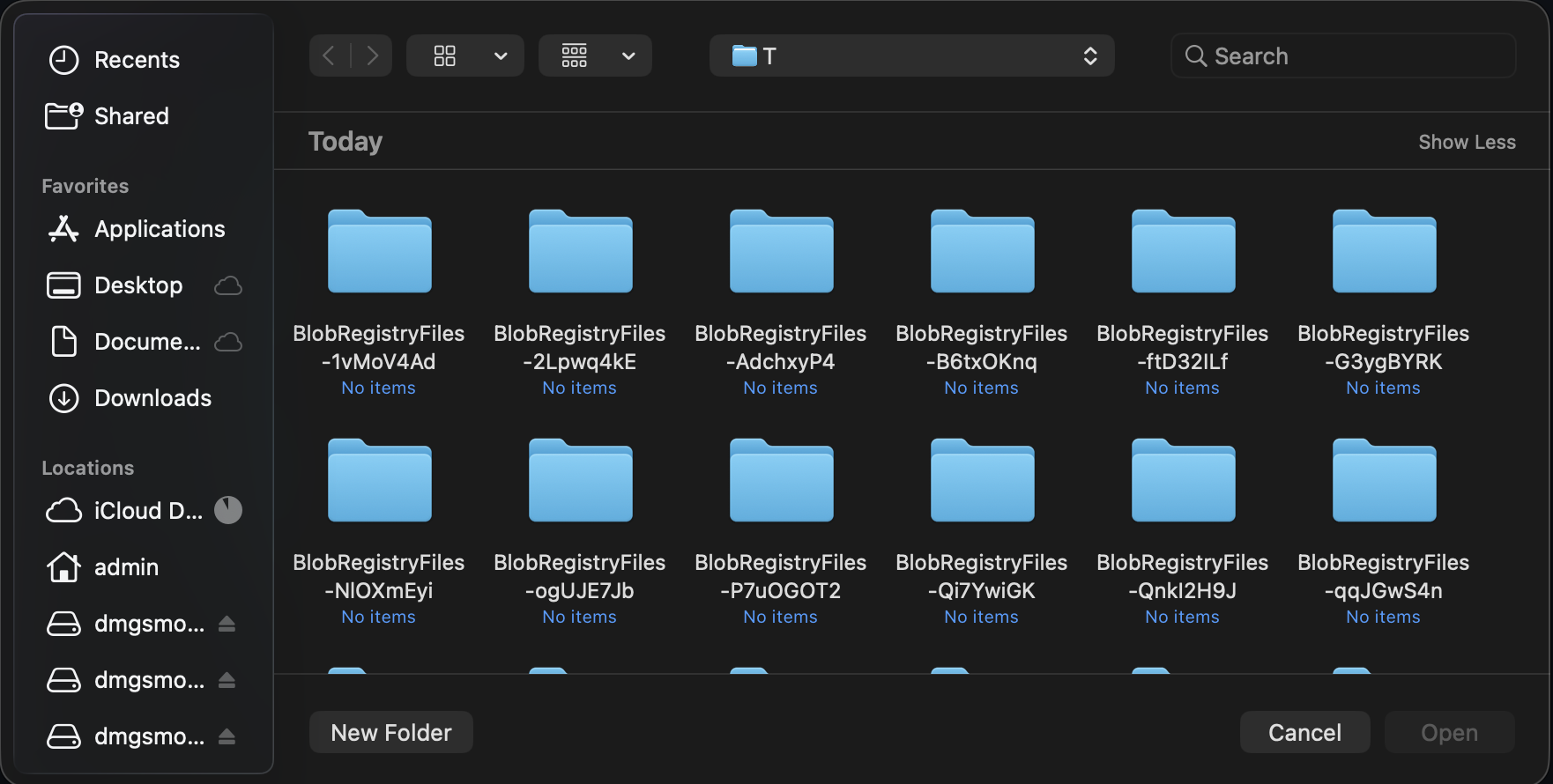
Wails API 将操作委托给操作系统的选择器,因此保留了用户熟悉的导航、筛选和选择行为。
创建文件对话框
通过app.Dialog管理器访问文件对话框:
go
app.Dialog.OpenFile()
app.Dialog.SaveFile()
“打开文件”对话框
选择要打开的文件:
go
path, err := app.Dialog.OpenFile().
    SetTitle("Select Image").
    AddFilter("Images", "*.png;*.jpg;*.gif").
    AddFilter("All Files", "*.*").
    PromptForSingleSelection()

if err != nil || path == "" {
    return
}

openFile(path)
使用场景:
- 打开文档
- 导入文件
- 加载图像
- 选择配置文件
选择单个文件
go
path, err := app.Dialog.OpenFile().
    SetTitle("Open Document").
    AddFilter("Text Files", "*.txt").
    AddFilter("All Files", "*.*").
    PromptForSingleSelection()

if err != nil || path == "" {
    // User cancelled or error occurred
    return
}

// Use selected file
data, _ := os.ReadFile(path)
选择多个文件
go
paths, err := app.Dialog.OpenFile().
    SetTitle("Select Images").
    AddFilter("Images", "*.png;*.jpg;*.jpeg;*.gif").
    PromptForMultipleSelection()

if err != nil {
    return
}

// Process all selected files
for _, path := range paths {
    processFile(path)
}
指定默认目录
go
path, err := app.Dialog.OpenFile().
    SetTitle("Open File").
    SetDirectory("/Users/me/Documents").
    PromptForSingleSelection()
“保存文件”对话框
选择保存位置:
go
path, err := app.Dialog.SaveFile().
    SetFilename("document.txt").
    AddFilter("Text Files", "*.txt").
    AddFilter("All Files", "*.*").
    PromptForSingleSelection()

if err != nil || path == "" {
    return
}

saveFile(path, data)
使用场景:
- 保存文档
- 导出数据
- 创建新文件
- 另存为…
指定默认文件名
go
path, err := app.Dialog.SaveFile().
    SetFilename("export.csv").
    AddFilter("CSV Files", "*.csv").
    PromptForSingleSelection()
指定默认目录
go
path, err := app.Dialog.SaveFile().
    SetDirectory("/Users/me/Documents").
    SetFilename("untitled.txt").
    PromptForSingleSelection()
覆盖确认
go
path, err := app.Dialog.SaveFile().
    SetFilename("document.txt").
    PromptForSingleSelection()

if err != nil || path == "" {
    return
}

// Check if file exists
if _, err := os.Stat(path); err == nil {
    dialog := app.Dialog.Question().
        SetTitle("Confirm Overwrite").
        SetMessage("File already exists. Overwrite?")

    overwriteBtn := dialog.AddButton("Overwrite")
    overwriteBtn.OnClick(func() {
        saveFile(path, data)
    })

    cancelBtn := dialog.AddButton("Cancel")
    dialog.SetDefaultButton(cancelBtn)
    dialog.SetCancelButton(cancelBtn)
    dialog.Show()
    return
}

saveFile(path, data)
“选择文件夹”对话框
启用“打开文件”对话框的目录选择功能来选择目录:
go
path, err := app.Dialog.OpenFile().
    SetTitle("Select Output Folder").
    CanChooseDirectories(true).
    CanChooseFiles(false).
    PromptForSingleSelection()

if err != nil || path == "" {
    return
}

exportToFolder(path)
使用场景:
- 选择输出目录
- 选择工作区
- 选择备份位置
- 选择安装目录
指定默认目录
go
path, err := app.Dialog.OpenFile().
    SetTitle("Select Folder").
    SetDirectory("/Users/me/Documents").
    CanChooseDirectories(true).
    CanChooseFiles(false).
    PromptForSingleSelection()
文件筛选器
使用AddFilter()方法向对话框添加文件类型筛选器。每次调用都会添加一个新的筛选选项。
基本筛选器
go
path, _ := app.Dialog.OpenFile().
    AddFilter("Text Files", "*.txt").
    AddFilter("All Files", "*.*").
    PromptForSingleSelection()
多个扩展名
使用分号在一个筛选器中指定多个扩展名:
go
dialog := app.Dialog.OpenFile().
    AddFilter("Images", "*.png;*.jpg;*.jpeg;*.gif;*.bmp").
    AddFilter("Documents", "*.txt;*.doc;*.docx;*.pdf").
    AddFilter("All Files", "*.*")
模式格式
使用分号分隔一个筛选器中的多个扩展名:
go
// Multiple extensions separated by semicolons
AddFilter("Images", "*.png;*.jpg;*.gif")
完整示例
打开图像文件
go
func openImage(app *application.App) (image.Image, error) {
    path, err := app.Dialog.OpenFile().
        SetTitle("Select Image").
        AddFilter("Images", "*.png;*.jpg;*.jpeg;*.gif;*.bmp").
        PromptForSingleSelection()

    if err != nil {
        return nil, err
    }

    if path == "" {
        return nil, errors.New("no file selected")
    }

    // Open and decode image
    file, err := os.Open(path)
    if err != nil {
        app.Dialog.Error().
            SetTitle("Open Failed").
            SetMessage(err.Error()).
            Show()
        return nil, err
    }
    defer file.Close()

    img, _, err := image.Decode(file)
    if err != nil {
        app.Dialog.Error().
            SetTitle("Invalid Image").
            SetMessage("Could not decode image file.").
            Show()
        return nil, err
    }

    return img, nil
}
验证并保存文档
go
func saveDocument(app *application.App, content string) {
    path, err := app.Dialog.SaveFile().
        SetFilename("document.txt").
        AddFilter("Text Files", "*.txt").
        AddFilter("Markdown Files", "*.md").
        AddFilter("All Files", "*.*").
        PromptForSingleSelection()

    if err != nil || path == "" {
        return
    }

    // Validate extension
    ext := filepath.Ext(path)
    if ext != ".txt" && ext != ".md" {
        dialog := app.Dialog.Question().
            SetTitle("Confirm Extension").
            SetMessage(fmt.Sprintf("Save as %s file?", ext))

        saveBtn := dialog.AddButton("Save")
        saveBtn.OnClick(func() {
            doSave(app, path, content)
        })

        cancelBtn := dialog.AddButton("Cancel")
        dialog.SetDefaultButton(cancelBtn)
        dialog.SetCancelButton(cancelBtn)
        dialog.Show()
        return
    }

    doSave(app, path, content)
}

func doSave(app *application.App, path, content string) {
    if err := os.WriteFile(path, []byte(content), 0644); err != nil {
        app.Dialog.Error().
            SetTitle("Save Failed").
            SetMessage(err.Error()).
            Show()
        return
    }

    app.Dialog.Info().
        SetTitle("Saved").
        SetMessage("Document saved successfully!").
        Show()
}
批量处理文件
go
func processMultipleFiles(app *application.App) {
    paths, err := app.Dialog.OpenFile().
        SetTitle("Select Files to Process").
        AddFilter("Images", "*.png;*.jpg").
        PromptForMultipleSelection()

    if err != nil || len(paths) == 0 {
        return
    }

    // Confirm processing
    dialog := app.Dialog.Question().
        SetTitle("Confirm Processing").
        SetMessage(fmt.Sprintf("Process %d file(s)?", len(paths)))

    processBtn := dialog.AddButton("Process")
    processBtn.OnClick(func() {
        // Process files
        var errs []error
        for i, path := range paths {
            if err := processFile(path); err != nil {
                errs = append(errs, err)
            }

            // Update progress
            // app.Event.Emit("progress", map[string]interface{}{
            //     "current": i + 1,
            //     "total":   len(paths),
            // })
            _ = i // suppress unused variable warning in example
        }

        // Show results
        if len(errs) > 0 {
            app.Dialog.Warning().
                SetTitle("Processing Complete").
                SetMessage(fmt.Sprintf("Processed %d files with %d errors.",
                    len(paths), len(errs))).
                Show()
        } else {
            app.Dialog.Info().
                SetTitle("Success").
                SetMessage(fmt.Sprintf("Processed %d files successfully!", len(paths))).
                Show()
        }
    })

    cancelBtn := dialog.AddButton("Cancel")
    dialog.SetCancelButton(cancelBtn)
    dialog.Show()
}
选择文件夹并导出
go
func exportData(app *application.App, data []byte) {
    // Select output folder
    folder, err := app.Dialog.OpenFile().
        SetTitle("Select Export Folder").
        SetDirectory(getDefaultExportFolder()).
        CanChooseDirectories(true).
        CanChooseFiles(false).
        PromptForSingleSelection()

    if err != nil || folder == "" {
        return
    }

    // Generate filename
    filename := fmt.Sprintf("export_%s.csv",
        time.Now().Format("2006-01-02_15-04-05"))
    path := filepath.Join(folder, filename)

    // Save file
    if err := os.WriteFile(path, data, 0644); err != nil {
        app.Dialog.Error().
            SetTitle("Export Failed").
            SetMessage(err.Error()).
            Show()
        return
    }

    // Show success with option to open folder
    dialog := app.Dialog.Question().
        SetTitle("Export Complete").
        SetMessage(fmt.Sprintf("Exported to %s", filename))

    openBtn := dialog.AddButton("Open Folder")
    openBtn.OnClick(func() {
        openFolder(folder)
    })

    dialog.AddButton("OK")
    dialog.Show()
}
验证并导入
go
func importConfiguration(app *application.App) {
    path, err := app.Dialog.OpenFile().
        SetTitle("Import Configuration").
        AddFilter("JSON Files", "*.json").
        AddFilter("YAML Files", "*.yaml;*.yml").
        PromptForSingleSelection()

    if err != nil || path == "" {
        return
    }

    // Read file
    data, err := os.ReadFile(path)
    if err != nil {
        app.Dialog.Error().
            SetTitle("Read Failed").
            SetMessage(err.Error()).
            Show()
        return
    }

    // Validate configuration
    config, err := parseConfig(data)
    if err != nil {
        app.Dialog.Error().
            SetTitle("Invalid Configuration").
            SetMessage("File is not a valid configuration.").
            Show()
        return
    }

    // Confirm import
    dialog := app.Dialog.Question().
        SetTitle("Confirm Import").
        SetMessage("Import this configuration?")

    importBtn := dialog.AddButton("Import")
    importBtn.OnClick(func() {
        // Apply configuration
        if err := applyConfig(config); err != nil {
            app.Dialog.Error().
                SetTitle("Import Failed").
                SetMessage(err.Error()).
                Show()
            return
        }

        app.Dialog.Info().
            SetTitle("Success").
            SetMessage("Configuration imported successfully!").
            Show()
    })

    cancelBtn := dialog.AddButton("Cancel")
    dialog.SetCancelButton(cancelBtn)
    dialog.Show()
}
最佳实践
✅ 应该做
- 提供文件筛选器——帮助用户查找文件
- 设置适当的标题——提供清晰的上下文
- 使用默认目录——从合理的位置开始浏览
- 验证选择结果——检查文件类型
- 处理取消操作——用户可能会取消
- 显示确认提示——用于破坏性操作
- 提供反馈——显示成功或错误消息
❌ 不应该做
- 不要跳过验证——检查文件类型
- 不要忽略错误——处理取消操作
- 不要使用宽泛的筛选器——筛选条件应明确具体
- 不要忘记“所有文件”——始终将其作为一个选项
- 不要硬编码路径——使用用户的主目录
- 不要假定文件存在——打开前先检查
平台差异
macOS
- 原生 NSOpenPanel/NSSavePanel
- 附加到窗口时以窗口附属对话框形式显示
- 遵循系统主题
- 支持快速查看预览
- 集成标签和个人收藏
Windows
- 原生文件打开/保存对话框
- 遵循系统主题
- 最近使用的文件集成
- 支持网络位置
Linux
- GTK 文件选择器
- 因桌面环境而异
- 遵循桌面主题
- 支持最近使用的文件
后续步骤
消息对话框
信息、警告和错误对话框。
自定义对话框
创建自定义对话框窗口。
绑定
从 JavaScript 调用 Go 函数。
事件
使用事件更新进度。